
Summary:
This bot will download 12 different employee files from WinSCP, and upload them individually to Concur. The reports are:
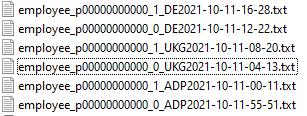
The Reports including "_0_" need to be uploaded BEFORE the reports "_1_". This needs to run daily, 7 days a week.
Process Owners: Tim McCutcheon
Bot Owner(s): Dan Hogfelt
Developers: Dan Hogfelt
Relevant Systems:
- Concur - Tim McCutcheon
- WinSCP - Rick Mackman 5.21.6
Runbook:
The runbook should provide information to support the bot in the case that any issue occurs.
Business Continuity Plan:
Business should manually upload the files to Concur in the event of bot downtime, or create backlog of work for bot to process upon completion.
Expected Volume:
12 files a day ,for bot to run once per day on schedule.
Credential Management:
WinSCP Credentials
Concur Credentials
SMTP Credentials
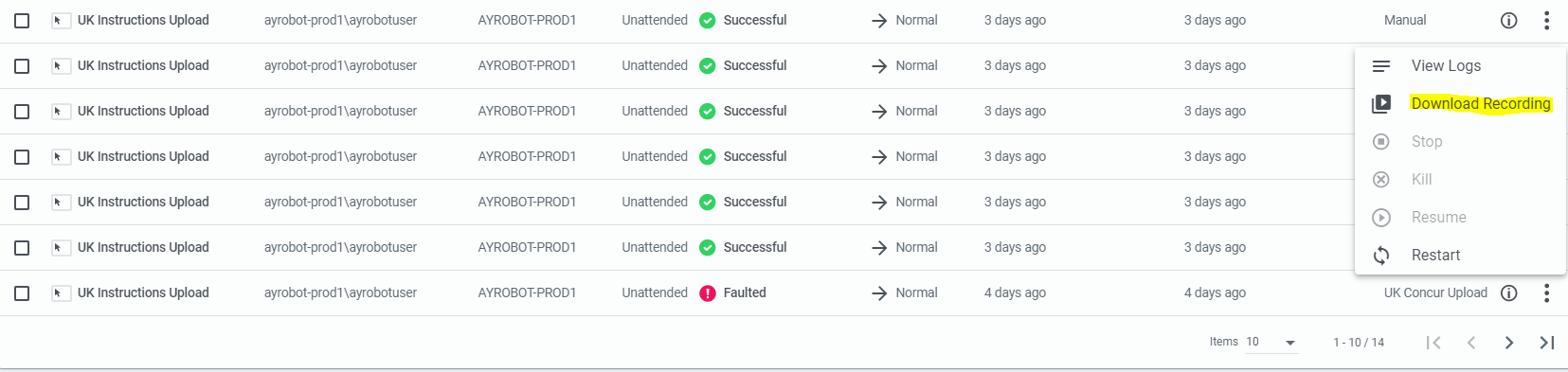
If Bot Fails: Should Receive an email saying that bot failed. In this case, go to the production orchestrator and download the recording which will show the screenshots as the bot failed. Use these screenshots to perform a root cause analysis. A screenshot may also be provided at the time of the error, depending on what error occurred.
Password Incorrect/Expiration: If the password is incorrect, password will need to be reset by following the below:
If Concur Password is incorrect, log a ZenDesk Ticket with Finn-Finance Apps Security Form.
If WinSCP Password is incorrect, contact Tim McCutcheon.
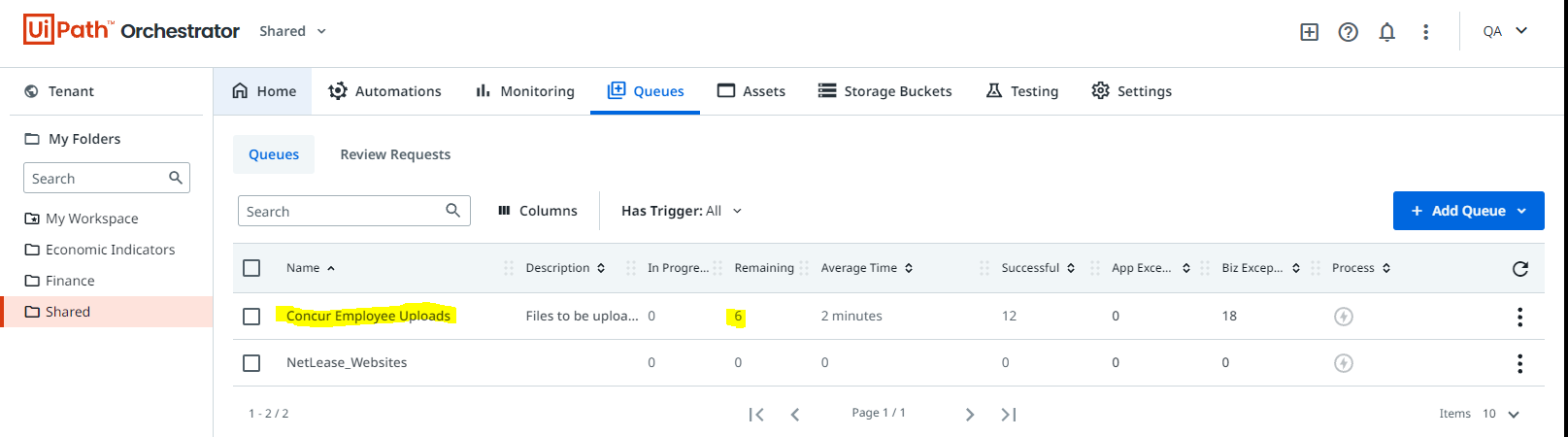
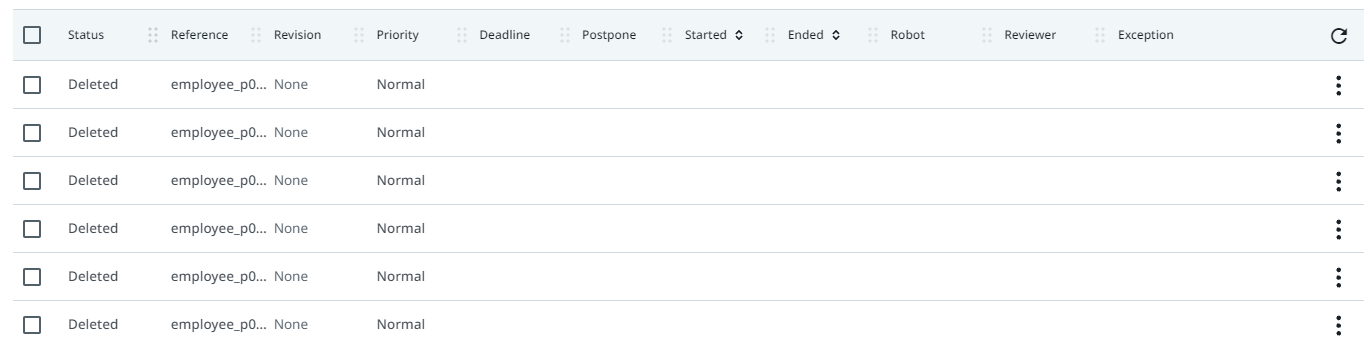
Restarting Bot: If the bot needs to be restarted, some considerations need to be made. This bot works by adding items to a "queue" (one item for each report). If the bot fails and needs to be restarted, it's best to delete the outstanding queue items, as the bot will create a queue item for each report when the bot begins executing. To delete the queue items, go to "Queues" tab under "Shared" folder.
Select "View Transactions"
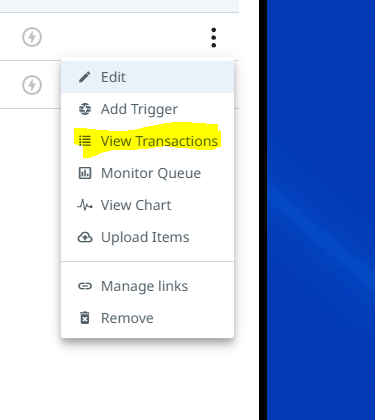
Select the transactions that are new, and remove them before starting the bot again.
Comments
0 comments
Please sign in to leave a comment.