
Summary:
This bot will read items from the queue populated by dispatcher process and process them one at a time. The bot will login to NetSuite, search for the vendor specified in the queue item and will download all customer invoices that match the date of queue item. Once all invoices are downloaded, they're pushed to the specific DropBox location based on the queue item MCC value.
Process Owners: Yvette Silva, Karan Parti
Bot Owner(s): Dan Hogfelt
Developers: Ostap Hamarnyk
Relevant Systems:
- NetSuite
- Box
- Excel
Runbook:
The runbook should provide information to support the bot in the case that any issue occurs.
If Bot Fails: Should Receive an email saying that bot failed. In this case, go to the production orchestrator and download the recording which will show the screenshots as the bot failed. Use these screenshots to perform a root cause analysis. A screenshot may also be provided at the time of the error, depending on what error occurred.
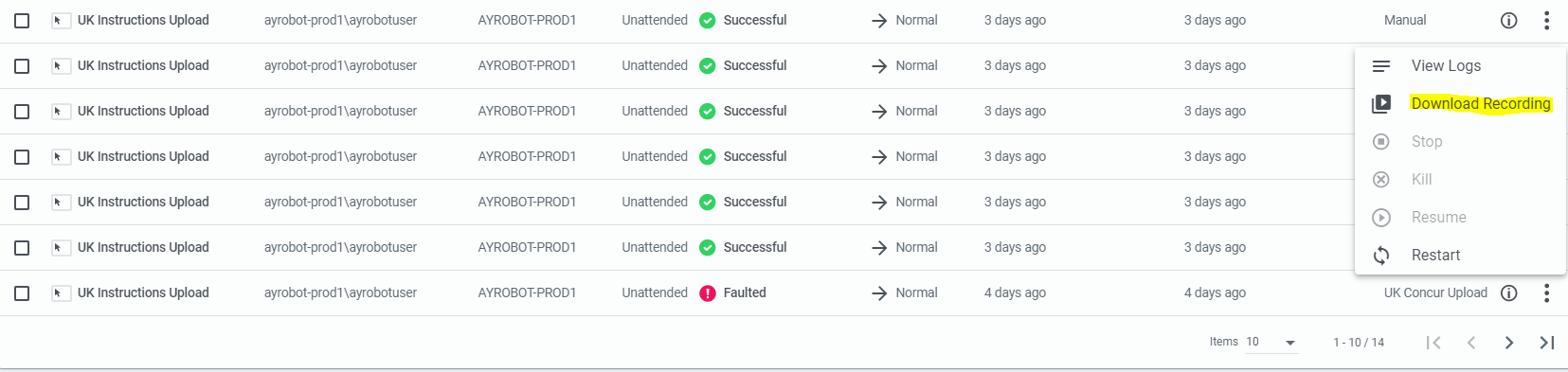
Failed to Login: If the bot fails to login, it should capture the error message coming from the NetSuite. If that error message is not sufficient, please login manually and ensure the password is up-to-date in Orchestrator. If password needs to be reset, please do the following:
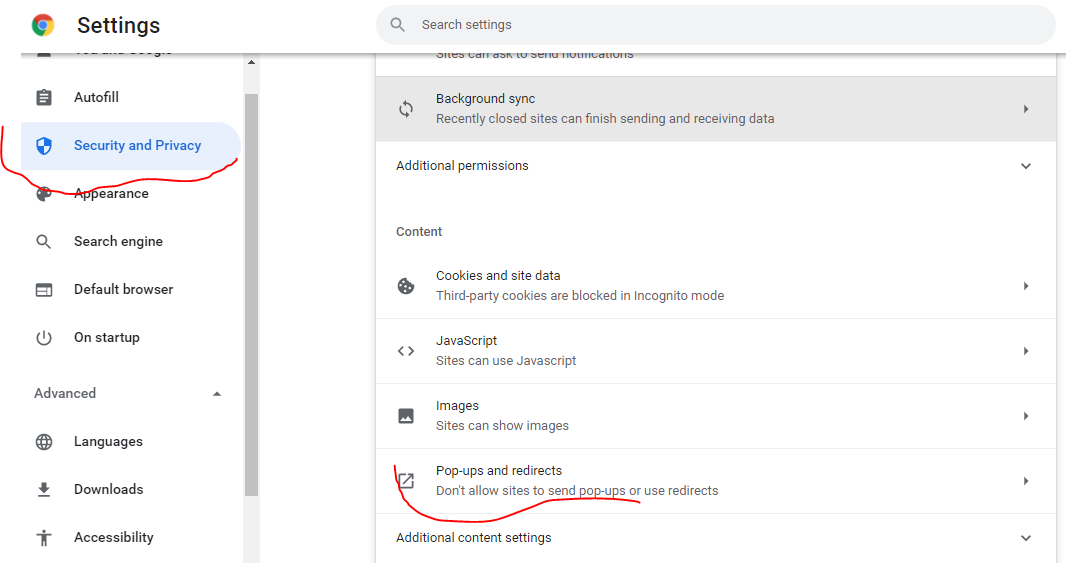
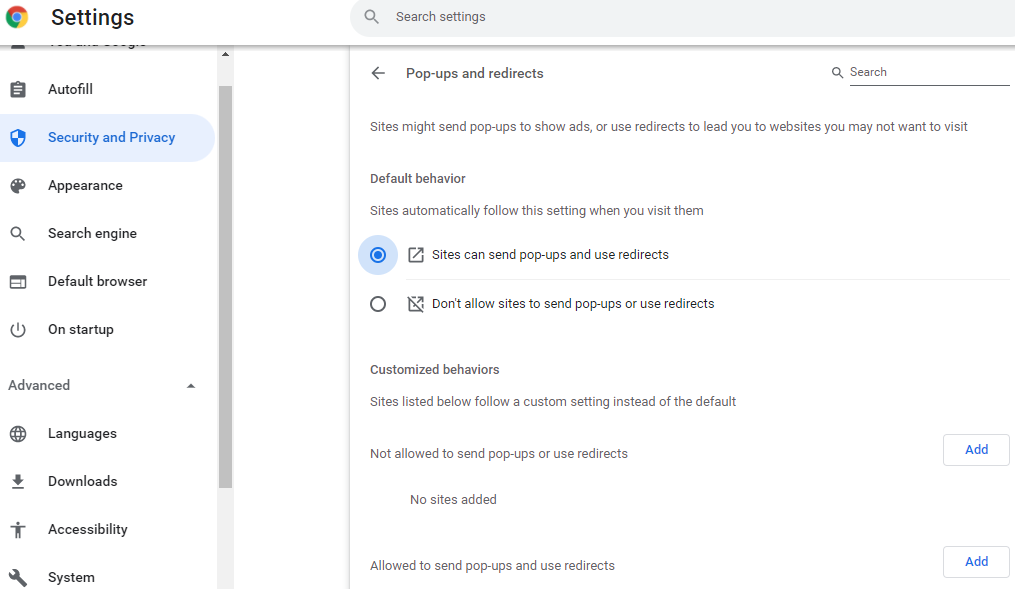
Can't download invoice: ensure that pop-ups are enabled for NetSuite site. Go to Chrome Settings, then Security and Privacy. After that navigate to Pop-ups and redirects and select an option to allow all.
No customer invoices found by bot but they are present in the system: if the bot reported no invoices found but business advised that invoices are present for specified vendor, you need to ensure the bot is on AY Accountant - CAN role and is able to sort invoices by Date.
Comments
0 comments
Please sign in to leave a comment.