
Summary:
This bot will Download the different NetSuite Reports for the Month for the accounts listed in "Bank Rec Detail Process Acct List.xlsx". The bot will login to NetSuite, and use the "AY Can" role, which has access to the required accounts. The bot will then loop through each report, download it, reformat the report as needed, and also append the "OS Checks" if needed from the Chart of Accounts page in NetSuite. After all accounts have been completed, they will be uploaded to Box for future reference. Bot will send an Email to the Distribution List once Process has completed.
Process Owners: sean.rehberger@avisonyoung.com
Bot Owner(s): Dan Hogfelt
Bot Support Primary: Dan Hogfelt
Bot Support Secondary: Ostap Hamarnyk
Developers: Dan Hogfelt
Relevant Systems:
- Excel
- Box
- NetSuite
Scheduling: Bot runs every day at 4:30PM CST, by referencing an excel sheet in Box and seeing if today's date is the same as the requested run dates in Column A of the excel sheet.
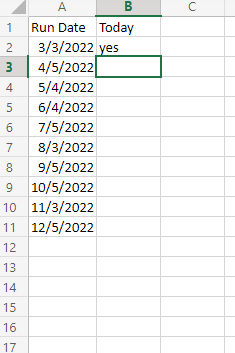
If a change needs to be made to the run dates, open the excel file in Box and modify the dates the bot should run in Column A. The bot will run when one of the values reads "yes".
Accounts to Run and File Naming: The bot will reference another file in Box to get the GL account numbers it should run, as well as what the files should be names when placed into Box.
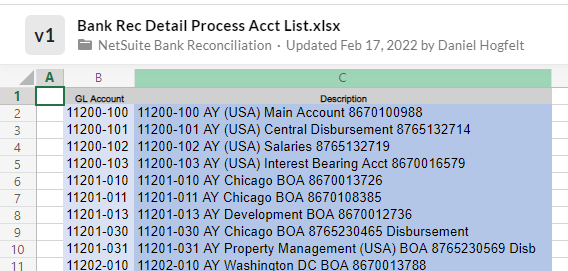
Column A references the GL Numbers to be searched, and column B the name the file should be saved as. To Edit these, edit the file in Box and add/remove rows as needed. Be sure to not include special characters such as "\" that would not allow the file to be saved due to file path error.
Runbook:
The runbook should provide information to support the bot in the case that any issue occurs.
If Bot Fails: An email will be sent saying the bot failed and which piece of code had failed. There are also messages being logged to the Orchestrator Tenant at the start and end of each major sequence to make it easy to see where the bot is failing.
Create a Ticket in DevOps under the Epic "Low Severity Error" with details of the error and troubleshooting steps required to resolve.
Password Incorrect/Expiration: If the password is incorrect, password will need to be reset by following the below:
If NetSuite password is incorrect, complete the “Forgot Password” steps.
NetSuite Username: rpa.finance@avisonyoung.com.
Library Components being Leveraged:
*NetSuite - Login
*NetSuite - Select Role
*DropBox - Download File
*DropBox - Upload File
*Box - Download File
*Box - Upload File
Note: If password needs to be reset, this will impact multiple different automations. Ensure that Orchestrator Asset is updated "NetSuite Credentials". Also refer to "AP Data Workflow" Bot, as the Alteryx Model will need to be updated with the new password. Instructions are within the "AP Data Workflow" article.
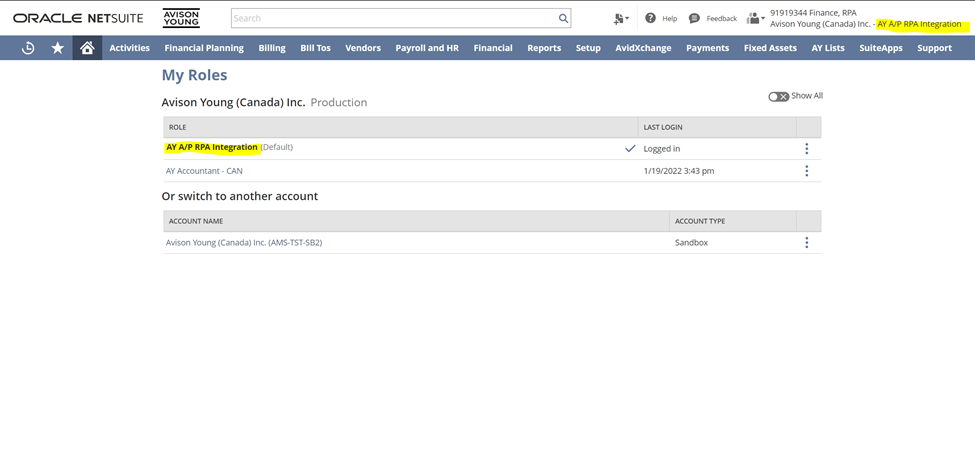
If Bot Errors after some reports have been processed: If some of the reports have already been processed, and only some reports still need to be processed, the bot can either be restarted from the beginning (however duplicate reports will be stored in DropBox), or only the remaining reports can be processed by following the below instructions.
1. Go to DropBox Folder
2. Download File "Bank Rec Detail Process Acct List" to Local Machine
3. Make a copy of "Bank Rec Detail Process Acct List" on Local Machine.
4. Remove already processed Rows from the Copy of "Bank Rec Detail Process Acct List"
5. Upload the File with the removed Rows back to DropBox to replace the original File
Note: This is what the bot references when it chooses which account to process next, it will loop through each row and search for each.
6. Re-Run the bot, this will cause it process whatever rows are remaining in spreadsheet mentioned above.
Note: If the re-run is happening on a different day than when the bot initially ran, there will be a second dropbox folder with "Todays Date". Merge the two folders into one.
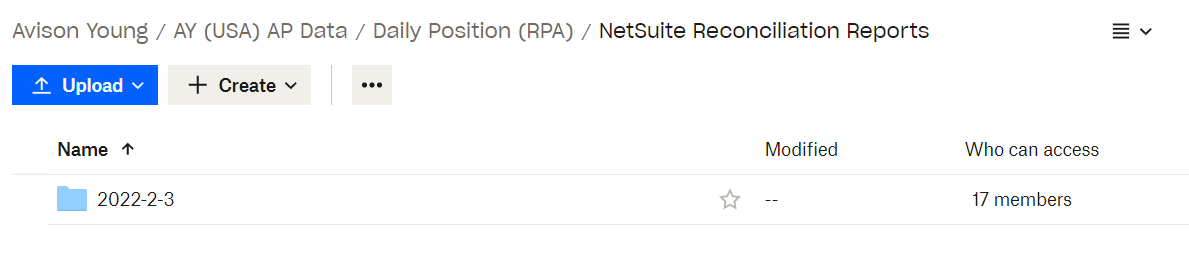
7. After the bot has completed running - ensure the original file that has all the account numbers is placed back in DropBox, so the next run will have all the account numbers to run.
8. Make note in DevOps ticket assigned to the error of the troubleshooting steps that have been done, and a confirmation that original file has been uploaded back to DropBox if these steps have been completed.
DevOps Epic: NetSuite Reconciliation
Comments
0 comments
Please sign in to leave a comment.