
Summary: Activities to interact with Avant that can be re-used in automations.
Setup:
1. Install Package
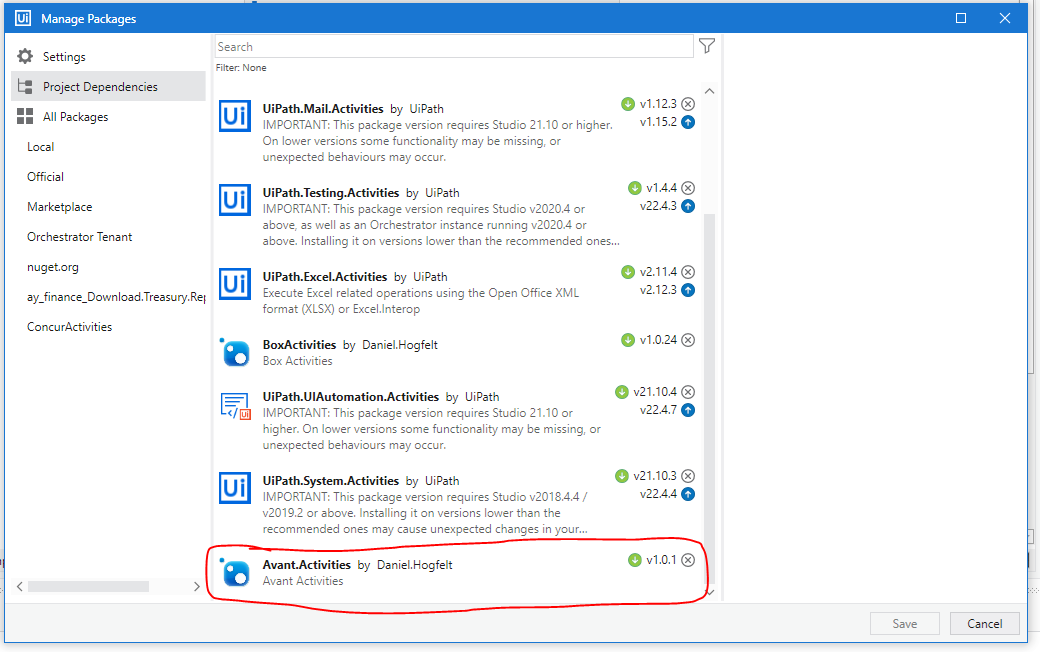
To install the package to use Avant activities, download the below package name from Orchestrator. Avant.Activities
Avant Login
To Login to Avant, add the "Avant Login" Activity.

Note: You may first need to login to OKTA before you can login directly to Avant.
There are 3 "IN" arguments that need to be passed to the Activity, and 1 "OUT" argument.
- in_LoginEmail - This is the email of the account to be accessing Avant. For developers, use your own email address. For QA and Production runs, use bot email (e.g. uipath.robot1@avisonyoung.com)
- in_OKTAPassword - This is the password corresponding to the OKTA account to login to Avant, as Avant will redirect to OKTA upon sign in.
- vAvantURL - This is the Avant link you would like to use, as there is a Dev, QA, UT, and Prod link to choose from.
- vLoggedIn - This is the out argument that is set to True if login is successful, and False if login fails. This can assist with error handling in the event the login fails
Comments
0 comments
Please sign in to leave a comment.